(Discover many other contents on: NOWO.ONE and NOWO Publishing)
2026 feels like a turning point for everyday tech accessories because the “one-cable, many-devices” lifestyle is finally real: USB-C everywhere, faster charging, and cleaner setups at home, work, and travel. If you’ve upgraded to an iPhone 15/16, a MacBook Air, or a USB-C iPad, the accessories you buy now can follow you for years—without the drawer of mismatched adapters.
Did You Know?
USB-C has become the default charging port across most new phones, tablets, and laptops, making multi-device GaN chargers, MagSafe-style wireless pads, and compact USB-C power banks the most “universal” accessories to buy in 2026.
Source: EU common charger rules + industry adoption trends
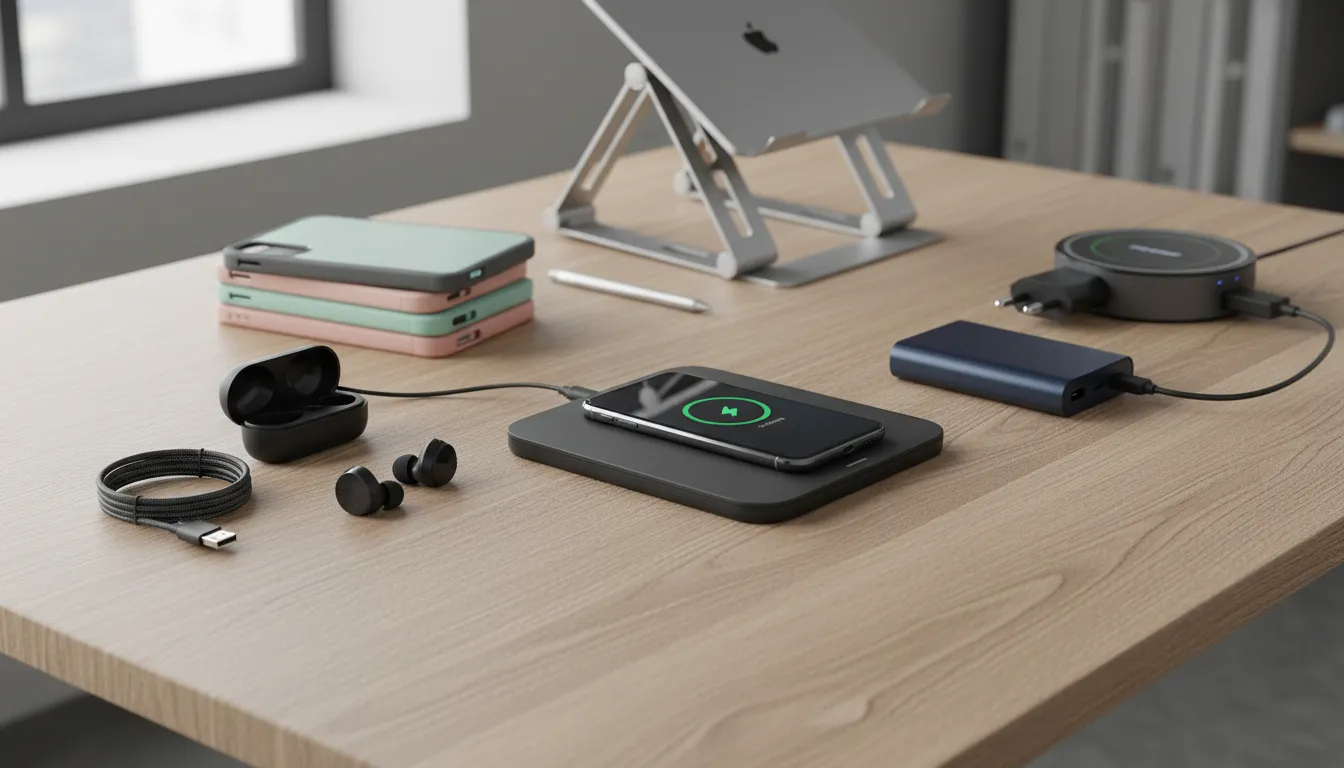
The best-selling tech accessories in 2026 are devices designed to improve everyday life by enhancing convenience, productivity, and connectivity. Among the most popular are power banks and smart charging solutions, wireless earbuds, content creation tools such as tripods and portable lights, and organizers for digital accessories.
These products stand out for their compact design, ease of use, and seamless integration with smartphones, tablets, and laptops. The main trend is to reduce clutter while offering multifunctional solutions, making them ideal for both work and leisure.
Market trends: why these accessories exploded in 2026
In 2026, tech accessories stopped being “nice-to-haves” and became daily infrastructure. I noticed a clear shift: people weren’t chasing flashy add-ons as much as they were buying small devices that removed friction from work, commuting, travel, and content sharing. That’s why the winners were compact, modular, and cross-device—things you can toss in a sling bag and use anywhere.
The best-selling tech accessories in 2026 are devices designed to improve everyday life by enhancing convenience, productivity, and connectivity. Among the most popular are power banks and smart charging solutions, wireless earbuds, content creation tools such as tripods and portable lights, and organizers for digital accessories.
These products stand out for their compact design, ease of use, and seamless integration with smartphones, tablets, and laptops. The main trend is to reduce clutter while offering multifunctional solutions, making them ideal for both work and leisure.
What changed in 2026: the macro drivers
Remote/hybrid work normalized “desk-to-bag” setups
People bought compact gear—Anker GaN chargers, UGREEN USB‑C hubs, and cable organizers—to move between home, office, and cafés without friction.
Creator economy made “good-enough production” mainstream
Affordable tools like the DJI Osmo Mobile gimbals, Joby GorillaPod tripods, and Lume Cube/SmallRig pocket lights became everyday purchases, not niche pro gear.
Mobile-first lifestyles increased battery anxiety
More time on 5G, maps, and video pushed demand for fast, high-capacity power like Anker PowerCore/Prime and Belkin BoostCharge power banks.
USB‑C standardization accelerated accessory upgrades
As phones, tablets, and laptops converged on USB‑C, shoppers replaced mixed cables with multi-port chargers, USB‑C to USB‑C cables, and MagSafe/Qi2-style wireless options.
Convenience, productivity, and connectivity became the new ROI
Buyers prioritized less clutter and more function per item: earbuds with multipoint (Sony WF‑1000XM5), charging stands, and organizers like Bellroy Tech Kit.
Why purchase priorities shifted toward convenience
Convenience won because modern setups are inherently mixed: an iPhone plus a Windows laptop, an iPad as a second screen, maybe a Nintendo Switch on the side. Accessories that simplified this sprawl—like a Baseus 65W GaN charger with multiple USB‑C ports or a Nomad/Belkin MagSafe-style stand—felt more valuable than a single-purpose gadget.
There was also a “two locations, one kit” mindset. Instead of duplicating chargers and cables at home and the office, people built one reliable carry: a high-output Anker Prime power bank, a short USB‑C cable, a compact wall charger, and a pouch like the Bellroy Tech Kit or Peak Design Tech Pouch to keep it all from turning into a knot.
Why productivity and connectivity drove repeat buys
Productivity meant fewer interruptions: earbuds with strong mics and multipoint pairing (Sony WF‑1000XM5, Jabra Elite series) let you jump from laptop meetings to phone calls without re-pairing. Connectivity meant stable “plug-and-play” expansion, which is why USB‑C hubs and docks from UGREEN, CalDigit, and Anker kept showing up in bags—Ethernet, HDMI, and extra USB ports are still the fastest way to make any desk usable.
Even the creator wave followed the same logic. A Joby GorillaPod, a DJI Osmo Mobile gimbal, and a SmallRig pocket light aren’t luxuries when your phone doubles as camera, scanner, and studio—especially if you’re filming quick reels, recording tutorials, or hopping on video calls in imperfect lighting.
Category breakdown: power banks, earbuds, creators’ gear, organizers
2026’s best-selling accessory categories (at a glance)
Four categories dominate because they solve everyday friction: running out of power, staying connected on the go, creating better content, and keeping small tech from turning into clutter.
- ✓ Power banks: high-watt USB‑C PD, pocketable, airline-friendly
- ✓ Wireless earbuds: ANC + multipoint + better mics for calls
- ✓ Creators’ gear: phone-first audio/lighting/stabilization, app control
- ✓ Organizers: modular pouches + cable systems built for USB‑C life
When I look at what actually moves units, the sales share tends to cluster into four buckets: power banks, wireless earbuds, creators’ tools, and organizers. The exact split varies by retailer, but the pattern stays consistent—charging and audio lead, then the “make my phone do more” gear, then the “stop losing tiny stuff” solutions.
Power banks (largest share): pocketable watts win
The best-sellers aren’t the biggest bricks; they’re the ones that disappear into a sling bag and still fast-charge a phone and a laptop. Models like the Anker PowerCore 20K (USB‑C PD), Anker 737 Power Bank (PowerCore 24K), and UGREEN 145W Power Bank sell because they combine high output with sane port layouts.
Feature drivers are compactness and multifunction: built-in USB‑C cables, pass-through charging, clear wattage displays, and a mix of USB‑C + USB‑A for “one bank for everything.” Typical prices land around $30–$60 for 10,000–20,000mAh mainstream picks, and $80–$160 for high-watt (100W+) laptop-capable batteries.
Wireless earbuds (runner-up share): call quality + device switching
Earbuds keep selling because they’re an everyday device, not a special purchase. The strongest demand is around ANC and voice clarity—Apple AirPods Pro (2nd gen), Sony WF-1000XM5, Bose QuietComfort Ultra Earbuds, and Samsung Galaxy Buds2 Pro are popular because they make noisy commutes and busy offices feel manageable.
What pushes a pair into “best-selling” territory is phone integration: instant pairing, Find My/Find My Device support, spatial audio features, and multipoint so I can jump from laptop to phone without fuss. Price ranges are usually $99–$299, with battery life commonly ~5–8 hours per charge (more with ANC off) and 20–30+ hours including the case. Connectivity is mostly Bluetooth 5.x, with better sets adding LE Audio readiness or rock-solid multipoint implementations.
Creators’ gear: phone-first production upgrades
Creators’ tools don’t always outsell earbuds, but they’re a fast-moving “add-on ecosystem” category: small, purpose-built gadgets that make content look and sound expensive. The Rode Wireless GO II and DJI Mic 2 are staples because they remove the biggest mobile pain point (bad audio). For video, DJI Osmo Mobile gimbals and compact tripods like the JOBY GorillaPod stay in circulation because they travel well.
Feature drivers are multifunction and integration: app-controlled receivers, onboard recording as a backup, USB‑C charging, and quick mounting (MagSafe-style clamps, cold shoes, and 1/4-inch threads). Typical pricing runs $25–$80 for tripods/LEDs, and $150–$350 for wireless mics and stabilized rigs. Connectivity spans USB‑C, Bluetooth, and 3.5mm—buyers want flexibility, not a single-device lock-in.
Organizers: the quiet best-seller that keeps re-selling
Organizers sell because they prevent the slow daily tax of tangled cables and dead dongles. Think Peak Design Tech Pouch, Bellroy Tech Kit, and simple cable systems like the Anker PowerLine USB‑C family paired with labeled Velcro ties. Once someone switches to USB‑C everything, they start caring about where everything lives.
Feature drivers are portability and modularity: elastic loops, magnetic closures, slim pouches that stack, and compartments sized for chargers like the Anker 735 Charger (GaNPrime). Price ranges are usually $15–$35 for basic pouches and wraps, and $50–$80+ for premium, structured kits. Battery life isn’t relevant here, but “connectivity” is—organizers that assume USB‑C, SD/microSD, and multiport hubs match how devices are used now.
Quick side-by-side: Power banks = highest portability-to-impact; Earbuds = best daily-use upgrade; Creators’ gear = biggest quality jump per accessory; Organizers = the friction-killer that makes the rest work better.
Deep dive: power banks and smart charging solutions
Power banks are still top sellers in 2026 because they’re the simplest way to buy “more battery” for every device you already own. A good bank solves the two pain points I feel weekly: running out of charge at the worst time, and carrying the wrong charger/cable for the device I’m using that day.
Capacity is the first reason they move so fast. The sweet spots are predictable: ~10,000 mAh for light daily carry, 20,000–24,000 mAh if I want multiple phone charges, and the 25,000–27,000 mAh class when I want emergency laptop power without leaving the airline-friendly range. In real shopping terms, I commonly see ~10,000 mAh models around $20–$40, 20,000 mAh around $35–$70, and premium high-watt banks (display, GaN, lots of ports) around $90–$180.
Fast charging is the second driver, and it’s why older “USB-A only” bricks are fading. I now treat USB-C Power Delivery as the baseline, with PPS support if I care about newer Samsung Galaxy/Pixel fast-charge behavior. For laptop top-ups, I look for 45W+ PD; for larger machines, 100W or 140W PD 3.1 can matter. Representative picks people recognize: Anker 737 Power Bank (PowerCore 24K), UGREEN 145W Power Bank, Baseus Blade series, and Zendure SuperTank lines.
Pass-through power is the sleeper feature that turns a bank into a mini hub. When it’s supported well, I can plug one wall charger into the bank, then charge my phone and earbuds from the bank’s ports while the bank refills—perfect for hotels, airports, and one-outlet cafés. (I still verify the manufacturer explicitly supports pass-through; some models throttle or heat up if you try to do this.)
Match capacity to your day
Pick ~10,000 mAh for commuting, 20,000–24,000 mAh for weekend carry, or 25,000–27,000 mAh (airline-friendly) if you want laptop top-ups.
Verify fast-charge standards
Look for USB‑C Power Delivery (PD 3.0/3.1) and PPS for phones; 45–100W PD for laptops. Examples: Anker 737, UGREEN 145W, Baseus Blade.
Prioritize smart output + ports
Choose banks that negotiate the right voltage/current per device (adaptive output), with at least 1× USB‑C in/out plus an extra USB‑C/USB‑A for sharing.
Decide on pass-through charging
If you charge overnight at a hotel desk, pick a model that can charge devices while it recharges (pass‑through) like Anker PowerCore lines or Zendure SuperTank series.
Protect battery health
Use 20–80% routines when possible, avoid hot cars, and favor slower charging for daily top-ups. Expect ~500 full cycles before noticeable capacity drop.
“Smart charging” is the new baseline: adaptive output negotiation, per-port power balancing, and better efficiency when charging small devices like AirPods Pro or a Kindle. Some ecosystems even push scheduling upstream—Belkin BoostCharge and Anker GaNPrime wall chargers pair well with banks so I can keep one compact kit and rotate devices without guessing watts.
For durability expectations, I plan around roughly 500 full charge cycles before a noticeable drop in capacity, then I demote that bank to emergency-only duty. Adoption is basically universal in my circles now: if someone carries a bag, there’s usually a USB-C bank inside, because it’s cheaper than replacing a day derailed by a dead phone.
Content creation tools and wireless earbuds: tools for work & play
My most-used creator accessories aren’t “big gear”—they’re the small pieces that remove friction: a compact tripod for steady framing, a portable light that makes any room usable, and wireless earbuds that keep me editing, taking calls, and reviewing clips anywhere.
Tripods are where convenience meets quality. A phone-friendly option like the Manfrotto PIXI is fast for desk shots, while a travel-friendly workhorse like the Peak Design Travel Tripod makes sense when I’m carrying a mirrorless camera and want Arca‑Swiss compatibility. I focus on weight, folded length, and a head that doesn’t creep after I lock it.
Portable LEDs are the cheat code for “professional enough” video. I look for USB‑C charging, a battery that lasts through a recording session, and clean color (CRI/TLCI 95+), because weird skin tones are harder to fix than shaky footage. Brands like Aputure Amaran, Godox, and Lume Cube all have compact lights that pair well with clamps, mini stands, or magnetic mounts.
Go light, but stable
Pick a compact tripod that’s under ~1 kg and supports 2–3× your camera/phone rig. Look for Arca‑Swiss plates (e.g., Peak Design Travel Tripod), sturdy locks (Manfrotto PIXI for phones), and a real ball head for fast reframing.
Power your light, not your stress
For portable LEDs (Aputure Amaran, Godox, Lume Cube), prioritize battery runtime (at least 60–90 min at usable brightness), USB‑C charging, and accurate color (CRI/TLCI 95+). Bonus: magnetic mounts and built‑in diffusers.
Stay synced for edits and calls
Wireless earbuds should support multipoint Bluetooth, quick‑switch device controls, and a stable codec (AAC/LDAC/aptX where supported). For creators, low‑latency modes help with video review and live monitoring.
Control latency and noise
If you film in public, strong ANC plus wind noise reduction matters (Sony WF‑1000XM series, Bose QuietComfort Ultra Earbuds, AirPods Pro). For gaming/streaming, look for a dedicated low‑latency mode or USB‑C dongle options.
Favor multifunction combos
Smart picks combine roles: tripod + selfie stick (DJI Osmo Mobile), mini tripod + Bluetooth remote, or LED + power bank + clamp. A small kit that lives in one pouch gets used more often than a ‘pro’ kit you leave at home.
For earbuds, I shop like a creator, not just a commuter: stable multipoint is non-negotiable, and latency matters when I’m checking cuts. For quiet focus, AirPods Pro (with Apple gear), Sony WF‑1000XM series, and Bose QuietComfort Ultra Earbuds all earn their place by making cafes and planes usable workspaces.
Choosing, organizing, and reducing clutter: practical tips
I buy accessories that replace multiple single-purpose gadgets: one strong USB-C PD charger, one high-capacity power bank, and one reliable hub. The Anker 736 Charger (Nano II 100W) can cover a laptop and phone, while the Anker 737 Power Bank (PowerCore 24K) prevents “emergency” extra chargers from creeping into my bag. For ports, a Baseus USB-C 8-in-1 hub (HDMI, USB-A, SD) beats a pocket of random dongles.
Multifunction picks that replace 3+ items
Choose accessories that combine power, connectivity, and mounting so you carry less without losing capability.
- • Anker 737 Power Bank (PowerCore 24K) to cover phone + tablet + laptop top-ups
- • Anker 736 Charger (Nano II 100W) instead of separate phone + laptop bricks
- • Baseus USB-C 8-in-1 hub (HDMI + USB-A + SD) to avoid dongle pile
- • Peak Design Mobile Tripod to replace mini tripod + grip
Organize the kit so it stays small
Use a dedicated system for cables and adapters so you can see what you own, pack faster, and stop buying duplicates.
- • Bellroy Tech Kit or Peak Design Tech Pouch for modular compartments
- • Grid-It organizer panel for slim, flat packing
- • Native Union Tech Organizer for cables + SSD + small tools
- • Velcro One-Wrap ties + a labeled USB-C/Lightning zip bag
To extend lifespan (and cut waste), I do a quarterly compatibility check: confirm USB-C PD wattage, cable ratings (100W/240W), and whether my hub supports the display mode I use. I also retire frayed cables immediately and keep one labeled spare, not five.
Frequently Asked Questions
When I’m buying 2026’s best-selling tech accessories, I’m really buying reliability: stable charging, cleaner audio, and fewer little annoyances in my bag and on my desk.
What power bank capacity is most reliable for daily use? ▼
How do wireless earbuds differ in 2026 versus prior years? ▼
Are portable lights and tripods worth it for casual creators? ▼
How can I keep accessories compatible with future phones? ▼
What organizing solutions cut cable clutter most effectively? ▼
If I had to pick one “future-proof” rule, it’s to prioritize USB‑C PD + PPS charging and keep my cables modular. That single choice makes power banks, wall chargers, docks, and even car chargers age more gracefully as phone ports and charging standards keep converging.
Conclusion
The best-selling tech accessories in 2026 are devices designed to improve everyday life by enhancing convenience, productivity, and connectivity. Among the most popular are power banks and smart charging solutions, wireless earbuds, content creation tools such as tripods and portable lights, and organizers for digital accessories.
These products stand out for their compact design, ease of use, and seamless integration with smartphones, tablets, and laptops. The main trend is to reduce clutter while offering multifunctional solutions, making them ideal for both work and leisure.
🎯 Key takeaways
- → Convenience + less clutter drove 2026 accessory hits: smart charging, compact storage, and grab-and-go power.
- → Productivity wins came from audio + desk workflow upgrades like Anker chargers, Apple AirPods Pro 2, and Logitech MX Master 3S.
- → Choose by routine: map your daily devices, pick one charging standard (USB‑C/PD), and buy only what removes a recurring friction point.
My next step is simple: I list my daily carry (phone, laptop, earbuds), then pick one upgrade—like an Anker GaN USB‑C charger, a reliable power bank, or a tidy cable organizer—before adding “nice-to-haves” like a Joby tripod or Ulanzi pocket light.
TL;DR: 2026 marks a turning point as USB‑C standardization and faster charging finally make a true “one‑cable, many‑devices” lifestyle possible, letting a single set of compact chargers, power banks, and hubs follow you across phones, tablets, and laptops. Driven by hybrid work, the creator economy, and mobile‑first habits, the year’s best‑selling accessories are compact, modular, multifunctional items—GaN chargers, USB‑C power banks, wireless earbuds, portable lights and tripods, and organizers—that reduce clutter and enable seamless desk‑to‑bag workflows.
Comments
Post a Comment