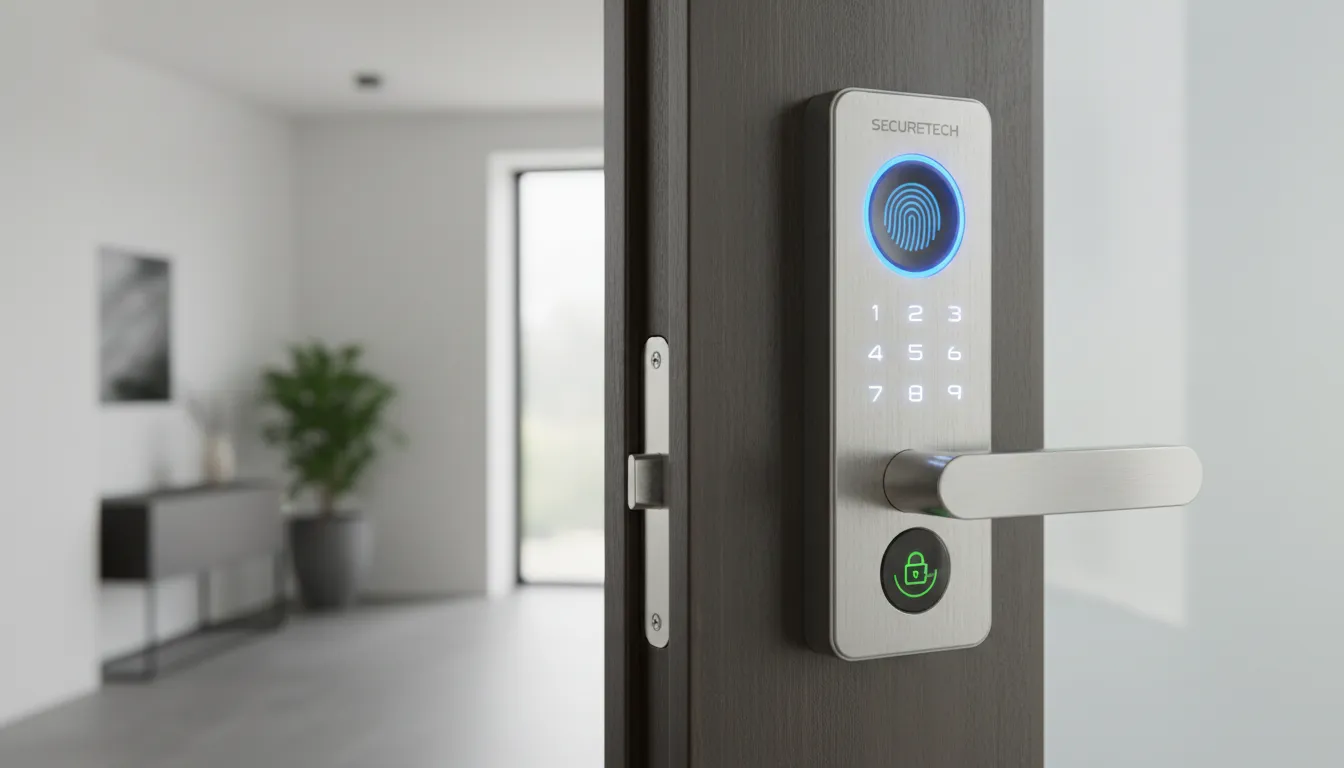
I started paying attention to smart electronic locks the day I realized a lost key could mean rekeying a whole door. Smart electronic locks are an innovative and secure solution for access management in both residential and professional environments. Thanks to digital technology, they allow doors to be locked and unlocked without traditional keys, offering full control via smartphone, keypad, or biometric systems.
Did You Know?
In 2026, market forecasts for smart locks range widely—from about USD 3.1B to USD 3.77B—showing how fast the category is evolving and how quickly new features (like Matter support) are reshaping adoption.
Source: Fact.MR (2026–2036 outlook) and Meticulous Research (2026–2036 forecast)
Equipped with Bluetooth and Wi-Fi connectivity, they enable remote access, temporary code generation, and real-time entry monitoring. Ideal for private homes, offices, and hospitality properties, they provide convenience, enhanced security, and a modern user experience.
I’ll break down benefits, the tech behind models like the eufy Video Smart Lock S230, and what to check before buying (Matter, Apple HomeKit, Google Home, auto-lock, multi-user access). You’ll also get practical setup steps and a clear look at security basics like notifications, audit logs, and PIN/code hygiene.
How smart electronic locks work and core features
Smart electronic locks are an innovative and secure solution for access management in both residential and professional environments. Thanks to digital technology, they allow doors to be locked and unlocked without traditional keys, offering full control via smartphone, keypad, or biometric systems.
Equipped with Bluetooth and Wi-Fi connectivity, they enable remote access, temporary code generation, and real-time entry monitoring. Ideal for private homes, offices, and hospitality properties, they provide convenience, enhanced security, and a modern user experience.
Key features include automatic locking, instant notifications, multi-user management, and integration with major smart home systems. Their sleek and compact design makes them suitable for various types of doors, including security doors.
The core components inside the lock
Most models combine a motorized deadbolt (or latch actuator), a controller board, and a power system—typically AA/AAA batteries or a rechargeable pack like the Nuki Smart Lock’s battery. When I tap “Unlock” in an app, the controller verifies permission, then drives the motor to rotate the tailpiece and throw the bolt. Sensors (door position, bolt position, tamper) confirm whether the door is closed, whether the bolt fully extended, and whether something unusual is happening.
Good sensors matter because features like auto-lock rely on reliable “door closed” feedback, not just a timer. Some setups add external door sensors for better accuracy, especially on misaligned frames or heavier security doors.
Access methods: from phone to fingerprint
Smartphone access usually uses Bluetooth for nearby control (fast, low power) and Wi‑Fi for remote control. For example, Yale Assure Lock 2 can be managed by phone at the door, while Schlage Encode is designed around built-in Wi‑Fi for managing codes and status when I’m away.
Keypads are popular for family homes and rentals because PINs are easy to share and revoke. Biometric options—like the eufy Video Smart Lock S230—add fingerprint convenience, but I still like a fallback: many locks keep a physical keyway or support an emergency power option so I’m not stranded with a dead battery.
Connectivity and smart home protocols
Bluetooth and Wi‑Fi are the basics, but ecosystems matter. Z‑Wave and Zigbee are common in hub-based homes (think Ring Alarm with Z‑Wave locks), while Matter is increasingly important for cross-platform control via Apple Home, Google Home, and others—often through hubs such as Aqara Hub M3. In practice, the protocol affects range, battery life, and whether automations keep working when the internet drops.
Design and compatibility: retrofit vs replacement
Retrofit smart locks (like Nuki Smart Lock) sit on the inside and turn an existing key cylinder—great when I want minimal exterior changes. Full-replacement models swap the deadbolt or handleset entirely (common with Yale and Schlage), often giving a cleaner look and tighter hardware integration.
Compatibility comes down to door thickness, backset, and whether you have a deadbolt, a multipoint lock, or a reinforced security door. Many smart locks work well on security doors when the underlying mechanical hardware is solid; the smart portion mainly adds controlled actuation, permissions, and logging on top of that foundation.
Market trends, adoption and key 2026 figures
Smart electronic locks have moved from “nice-to-have gadget” to mainstream access infrastructure. In 2026, the headline story is uneven but fast adoption: residential smart-home upgrades are steady, while short-term rentals and commercial retrofits are accelerating because they can measure time and cost savings immediately.
Global market size: why 2026 estimates vary so widely
As of March 2026, published global smart-lock market valuations are not tightly aligned. Depending on how reports define “smart lock” (deadbolts only vs. handlesets, smart cylinders, hotel locks, readers, software, and services), estimates for 2026 range from roughly USD 3.1 billion to USD 23.4 billion, with many forecasts clustering in the low-single-digit billions.
Two commonly cited baselines put 2026 in the USD 3–4 billion band: Fact.MR projects about USD 3.1B from a 2025 base near USD 2.8B, while Meticulous Research projects about USD 3.77B from a 2025 base around USD 3.28B. For buyers, the takeaway isn’t the exact number—it’s that the category is large enough to sustain multiple ecosystems (Schlage, Yale, August, Aqara, Nuki, Lockly, eufy) and still growing quickly.
Units and growth: the runway through 2036
Volume growth is where adoption becomes tangible. Meticulous Research implies a move from roughly 25–30 million units in the mid-2020s toward about 110.5 million units by 2036. That kind of ramp typically corresponds to a double-digit CAGR outlook through the next decade, with many forecasts landing in the low-to-mid teens depending on whether commercial deployments are counted as “locks” or “access control.”
For installers, rising unit volumes usually mean better parts availability, more standardized templates, and fewer “one-off” jobs—especially as Matter support expands across new models and hubs.
What’s driving adoption in 2026
- Remote work and flexible schedules: homeowners want delivery access, dog-walker codes, and contractor entry without key handoffs. App-based sharing (Schlage Home, Yale Access, August) is now a core expectation.
- Short-term rentals (Airbnb/VRBO operators): time savings and fewer lockouts drive ROI. PIN rotation and scheduled guest codes are standard in rental-friendly lines such as Schlage Encode, Yale Assure, and Nuki Smart Lock.
- Smart-home adoption: deeper integration with Apple Home (HomeKey on select locks), Google Home, Amazon Alexa, and Matter reduces “smart lock island” setups. Aqara and Yale are leaning hard into ecosystem compatibility.
- Commercial access control convergence: small offices increasingly start with smart locks, then layer in audit trails, user provisioning, and time schedules—features historically reserved for badge systems.
What’s slowing buyers down
- Price and total cost: hardware is only part of the bill once you add Wi‑Fi bridges, better batteries, and professional installation for misaligned doors.
- Interoperability: “Works with Alexa” isn’t the same as Matter support, and HomeKit-only models can be limiting in mixed households.
- Security concerns: fear of account takeover, weak default settings, and cloud dependency pushes some people toward keypad-only offline modes or Bluetooth-first designs.
What these trends mean for buyers and installers
Buyers should shop like they’re choosing a platform: prioritize Matter (when available), reliable local unlocking (keypad, fingerprint, or phone proximity), and a vendor with strong firmware support—brands like Schlage, Yale/August, Aqara, Nuki, Lockly, and eufy each take different tradeoffs. If you’re managing multiple properties, pick a model with clean guest-code workflows and activity logs, not just a sleek app.
Installers can win in 2026 by productizing the job: door alignment checks, strike reinforcement, Wi‑Fi/bridge placement, and handover training for apps like Apple Home, Google Home, or Alexa. The market’s growth is real, but the best reviews still come from the basics—quiet latching, consistent auto-lock, and fewer “why won’t it connect?” support calls.
Choosing a smart electronic lock: features, integrations and side‑by‑side comparison
I choose a smart electronic lock the same way I choose a laptop: start with the “non‑negotiables” (connectivity and integrations), then filter by real-life features (temporary codes, remote access, battery plan), and only then compare prices. This avoids paying extra for gimmicks while missing basics like reliable auto‑lock or a strong physical build.
Connectivity: Bluetooth vs Wi‑Fi vs biometrics (and why it matters)
Bluetooth locks (like Aqara Smart Lock U100 in many setups) are great when I mainly unlock at the door with my phone/watch and don’t need constant internet access. They’re often more battery-friendly, but true remote control usually requires a hub (Aqara Hub, Apple Home Hub, etc.).
Wi‑Fi locks (like Schlage Encode Plus and Yale Assure Lock 2 Wi‑Fi) are the simplest path to remote lock/unlock and event logs from anywhere. The tradeoff is typically higher battery drain and more reliance on my router’s stability. If a lock offers both Bluetooth and Wi‑Fi, I treat Bluetooth as “local reliability” and Wi‑Fi as “remote convenience.”
Biometrics (fingerprint) can be fantastic for high-traffic entry, but only if the sensor is consistent in rain, cold, and with dry hands. For many households, Apple Home Key on Schlage Encode Plus (tap-to-unlock from iPhone/Apple Watch) gives a similar “instant access” feel without fingerprints.
Smart home integration: HomeKit, Google, and the Matter question
Integration isn’t just voice control; it’s how easily I can automate safe routines. Apple Home (HomeKit) shines for presence-based automations and Home Key. Google Home and Alexa are strong for household convenience and broad device ecosystems.
Matter support is the hedge against platform lock-in. A Matter-capable lock (for example, Yale Assure Lock 2 variants marketed with Matter support) is easier to move between ecosystems later, especially if I switch from Google Home to Apple Home or run a mixed household. I still verify exactly what features Matter exposes (lock/unlock, status, PIN management) because some advanced options remain vendor-app-only.
Multi-user support and access types (the features that save me time)
For day-to-day life, I prioritize multi-user management over flashy features. I want named users, schedules, and clean ways to revoke access. A lock that handles many user codes is helpful for offices and rentals, while a smaller limit is fine for a typical family home.
- Temporary codes: time-bound PINs for dog walkers, contractors, cleaners, and guests.
- Remote access: confirm the door is locked and grant access when I’m not home.
- Audit logs: “who unlocked and when” is useful for offices and hospitality.
- One-touch or auto-lock: reduces “did I lock the door?” anxiety, but only if timing is configurable.
Practical considerations that affect daily reliability
I look closely at battery type (AA vs rechargeable pack), typical life, and low-battery warnings. If a lock chews through batteries, I’m effectively paying a monthly “annoyance tax.” Auto-lock timing matters too: 5–15 seconds can be perfect for home use, while an office might need 30–60 seconds to avoid locking people out during deliveries.
Physical security still matters because the “smart” part doesn’t stop forced entry. I check for ANSI/BHMA grade information (when provided), a solid deadbolt mechanism, and a keyed backup option if my threat model includes power failures or phone loss. I also confirm door compatibility (backset, thickness) and weather exposure if it’s an exterior gate or storm-door situation.
Side-by-side “fit check” (use case driven)
Cost vs benefit: subscriptions, cloud features, and maintenance
When I compare “2026 leading models,” I separate hardware cost from ongoing cost. Some brands gate richer notifications, longer event history, or camera storage behind subscriptions, and that can flip the value equation over a year or two. If I’m considering a video lock like eufy Video Smart Lock S230, I factor in whether I’m paying for cloud storage or using local storage options.
Maintenance is part of total cost too: batteries, occasional recalibration, and the time to manage users. For a home, I’ll pay extra for Home Key convenience. For an office, I’ll pay for robust user schedules and clean offboarding. For hospitality, I prioritize scalable code management and dependable remote access, because saving five minutes per turnover quickly becomes real money.
Installation, setup and integrating with your smart home
Pre-install checklist (5 minutes that saves hours)
I start by measuring the backset (usually 2-3/8” or 2-3/4”) and confirming door thickness (commonly 1-3/8”–2”). If either is off, even a premium lock like Schlage Encode Plus or Yale Assure Lock 2 will feel “wrong” or bind.
Next, I check the existing deadbolt type (most homes use a single-cylinder deadbolt) and inspect the bore hole alignment. If the bolt doesn’t throw smoothly now, a smart motor won’t magically fix it.
Physical install overview (keep it simple)
Remove the interior thumbturn and exterior cylinder, then swap in the new bolt and keypad/exterior assembly. Before tightening the screws, I center the hardware so the deadbolt can extend without scraping.
Install batteries last, then run calibration (most apps prompt this) so the lock learns your door’s resistance. If it “jams,” re-check strike plate alignment before changing settings.
App pairing, Wi‑Fi/Bluetooth, and smart-home links
I pair in the manufacturer app first (Schlage Home, Yale Access, or eufy Security), typically over Bluetooth. For Wi‑Fi models, use a 2.4 GHz SSID if the lock can’t see your network; for Matter over Thread, ensure a border router is present (HomePod mini/Apple TV 4K, or a Google Nest Hub).
Then I link platforms: Apple Home (Home Key on compatible models like Encode Plus), Google Home, and Amazon Alexa. Matter tip: commission once, then share to other ecosystems; re-adding repeatedly is a common pitfall.
Remote access, temporary codes, and when to hire a pro
For guests or staff, I create time-boxed PINs (dog walker, cleaner) rather than sharing app admin access. I also test remote unlock on cellular and confirm notifications for “jam” and “unlock.”
I hire a pro for commercial doors, security doors with tight tolerances, and multi-door systems (especially if you’re coordinating access schedules across several entrances).
Security, privacy and maintenance best practices
I treat a smart lock like a small computer on my front door, so I start with a threat model. Common risks include physical bypass (poorly aligned deadbolts, weak strike plates), replay attacks on older wireless implementations, weak admin passwords, and the “stolen phone” problem where someone inherits my unlock app and notifications.
Security hardening that actually helps
- Update firmware regularly in the vendor app (e.g., Yale Access, Schlage Home, eufy Security) and keep iOS/Android current.
- Use a long admin passphrase, not a simple 4–6 digit master PIN; disable default codes and delete unused users.
- Turn on two-factor authentication where available (Apple ID/Google Account, and vendor accounts like August or Aqara).
- Review audit logs weekly and prune old guest codes; temporary codes should expire automatically.
- Limit remote unlock: if HomeKit or Google Home presence automations are enough, avoid exposing cloud remote access.
Privacy + maintenance (the unglamorous wins)
Cloud control is convenient, but I check vendor retention and sharing policies and prefer local control when possible (HomeKit with a HomePod mini, or Matter over Thread). If an app offers “improve product” analytics, I opt out and keep event history short.
For reliability, I replace batteries early, keep the door alignment tight, and rerun calibration after seasonal swelling. Monthly I test auto-lock, keypad entry, and the emergency override key.
- Connectivity issues: reboot the hub/router, confirm 2.4 GHz Wi‑Fi, move the mesh node closer.
- Unresponsive keypad: clean contacts, check low-battery warnings, power-cycle the interior module.
- Failed biometrics: re-enroll in dry light, add multiple fingers, and keep the sensor clean.
Frequently Asked Questions
Smart electronic locks are an innovative solution for access, but I always sanity-check the basics: physical security, fail-safes, fit, and ecosystem support. Here are the questions I hear most when comparing options like Schlage Encode Plus, Yale Assure 2, August Wi‑Fi Smart Lock, and eufy Video Smart Lock S230.
Are smart locks as secure as traditional deadbolts? What are the risks and mitigations? ▼
Can I still use a regular key, and will a smart lock fit my existing door? ▼
How does remote access work, and what happens if internet or power fails? ▼
Which integrations matter for my smart home ecosystem? ▼
Do smart locks require subscriptions, and what typical costs should I expect? ▼
If I’m buying today, I also confirm whether it supports Matter (for flexibility), and I test battery alerts and guest-code workflows before trusting it for rentals or regular visitors.
Conclusion
Smart electronic locks are an innovative and secure solution for access management in both residential and professional environments. Thanks to digital technology, they allow doors to be locked and unlocked without traditional keys, offering full control via smartphone, keypad, or biometric systems.
Equipped with Bluetooth and Wi-Fi connectivity, they enable remote access, temporary code generation, and real-time entry monitoring. Ideal for private homes, offices, and hospitality properties, they provide convenience, enhanced security, and a modern user experience.
Key features include automatic locking, instant notifications, multi-user management, and integration with major smart home systems. Their sleek and compact design makes them suitable for various types of doors, including security doors.
🎯 Key takeaways
- → Smart electronic locks boost convenience and security with remote control, logs, and multi-user access for homes, offices, and rentals.
- → Shortlist must-haves: Wi‑Fi/Bluetooth, temporary codes, auto-lock, alerts, and smart-home support (Apple HomeKit, Google Home, or Matter).
- → Next step: test one model (eufy Video Smart Lock S230, Schlage Encode Plus, Yale Assure Lock 2), then plan DIY fit or book a locksmith for your door type.
For next steps, shortlist your must-have features, try a model like Schlage Encode Plus or Yale Assure Lock 2 on your door, then plan installation—or contact a professional locksmith for mortise and security-door setups.
TL;DR: Smart electronic locks replace traditional keys with smartphone, keypad, or biometric access, offering remote control, temporary codes, auto-lock, notifications and audit logs for homes, offices and hospitality. They use motorized deadbolts, controllers, sensors and batteries, integrate with smart-home ecosystems (Matter, HomeKit, Google) and require checking compatibility, sensor reliability and PIN/code hygiene to get security and convenience right as the market rapidly grows.
Comments
Post a Comment